Canva connector brings editable design workflows into Google Gemini
Published
Canva has expanded its AI Connector to work directly inside the Google Gemini app, allowing users to create, find and edit Canva designs without leavi...
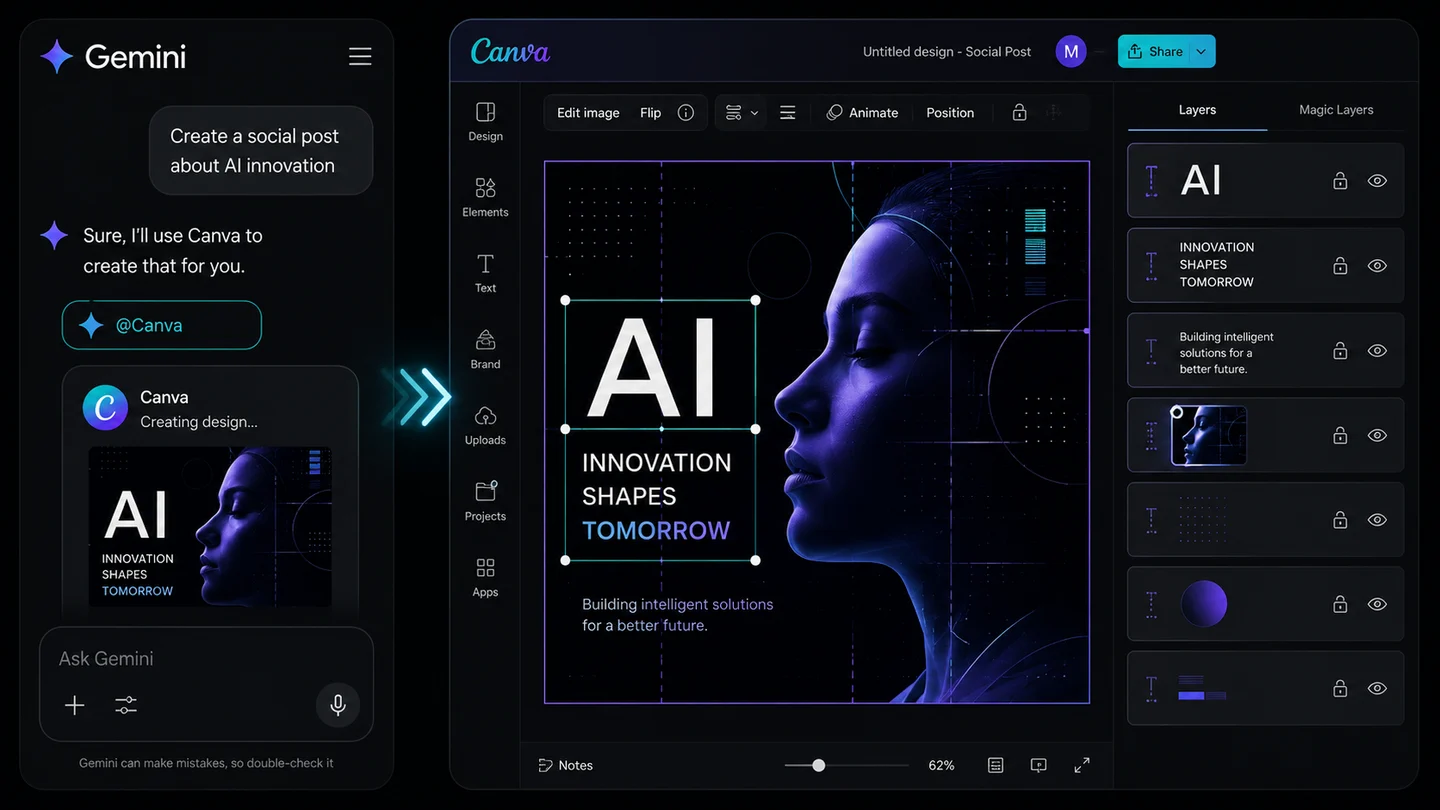
Canva has expanded its AI Connector to work directly inside the Google Gemini app, allowing users to create, find and edit Canva designs without leaving the conversation.
What the connector can do
After connecting a Canva account, users can type @Canva in Gemini to generate a new design, search existing Canva content, summarise documents and presentations, or make changes through natural-language instructions.
Editing designs through prompts
The integration can update text and images across slides, rewrite headlines, translate content for different audiences, and resize or repurpose a design for another platform. Canva says users can also reference a Brand Kit so generated designs reflect an organisation’s colours, fonts and visual identity.
Turning generated images into editable layouts
Images created in Gemini can be exported to Canva and processed with Magic Layers. The feature separates a flat image into editable elements, allowing users to adjust text, objects and layout instead of treating the result as a single static asset.
Canva also enters Google Search AI Mode
Canva is also available through AI Mode in Google Search. Users can request a visual, choose a relevant template or generate a new image, and then open the result in Canva for further editing, printing or sharing.
Availability and limits
The integration requires users to connect their Canva account to Gemini. Some capabilities depend on the user’s Canva plan: for example, automatically filling brand templates with context from a Gemini conversation is intended for Canva Enterprise teams.
Practical value
The connector reduces the need to copy research, prompts and generated assets between separate apps. It is most useful for users who already begin their work in an AI assistant and want to move directly from conversation to an editable design.
Canva described the integration in an official product announcement .
Source: Canva